Make a talking pumpkin

A jack-o’-lantern
that talks back.

Walk up to it and it wakes. Say something and it listens. Then it answers in a slow, rumbling pumpkin voice, mouth moving with every word. One engineer and dad built it for Halloween, from a chat app, a 3D pumpkin, and the computers already running at home.

See how it works Who we are
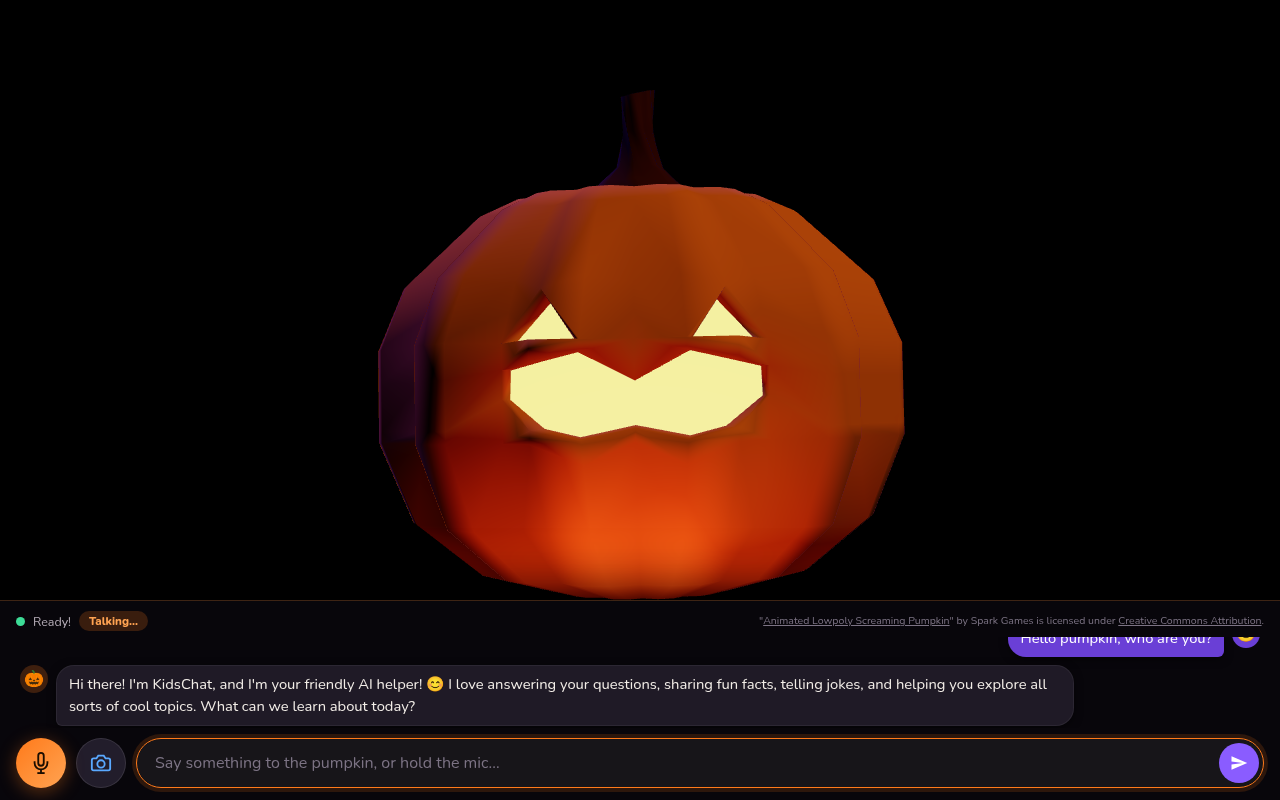
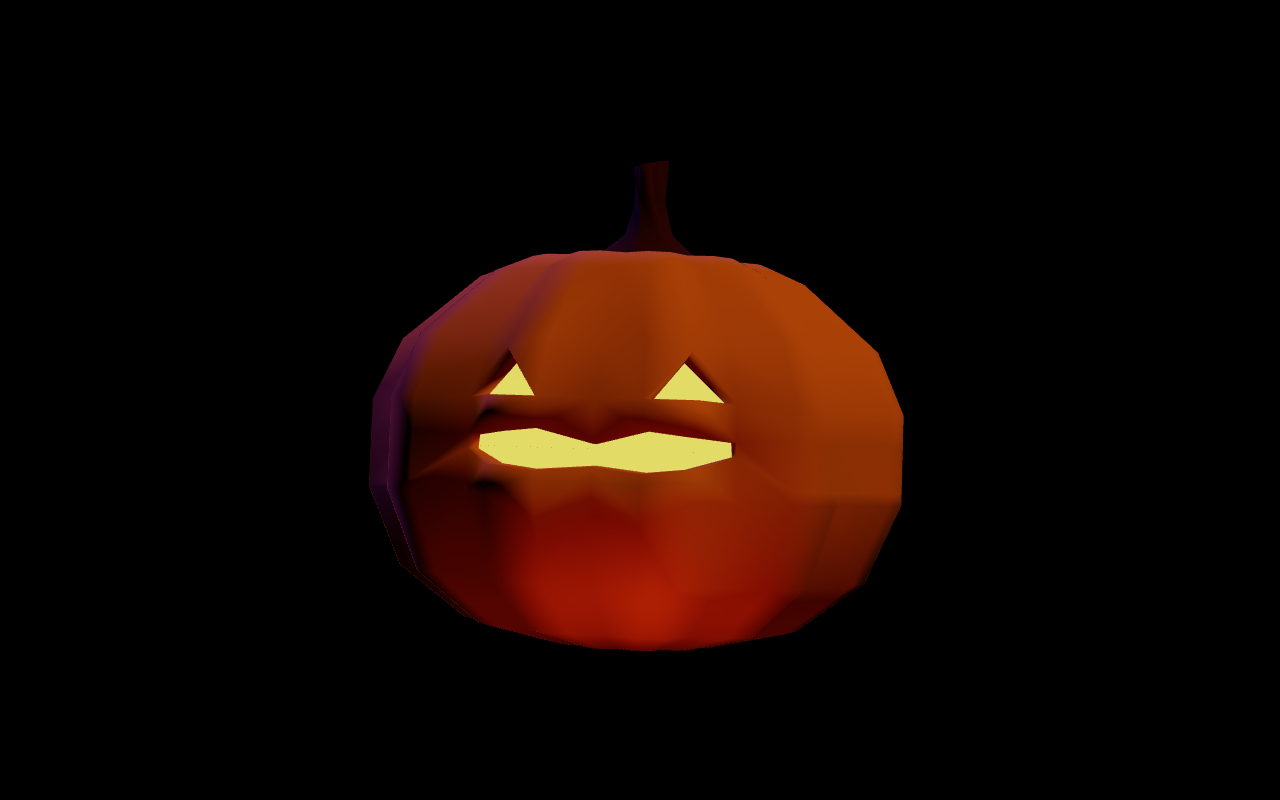
A low-poly orange jack-o’-lantern on a black screen, mouth wide open mid-sentence. Below it a chat dock shows the pumpkin’s greeting and a text box that says ‘Say something to the pumpkin, or hold the mic…’.
The pumpkin mid-sentence, with the chat dock open.
Wakes when a child walks upRuns on home hardwareNever breaks character
Why we built it

Halloween is for
wondering out loud.

The best questions kids ask are the ones they ask a pumpkin.

Every October the kids wanted the house to do something. This year, the pumpkin answered.

Children talk to things. Stuffed animals, the dog, the moon. A carved pumpkin with a glowing face is an easy thing to talk to, and once it talks back, the questions never stop: “Are you scared of the dark?” “Do you have seeds inside?” “Can you sing?”

So Dad gave the pumpkin ears, a voice, and a bit of attention. It floats on a dark screen by the door. When the front-door camera sees someone, it perks up and greets them. When a child speaks, it leans in a little, tilts its head, and nods while it listens. Then it answers in one to three spoken sentences: spooky, kind, deep, and dramatic.

It has one firm rule, set by the kids’ dad on the first evening: the pumpkin is a pumpkin and nothing else. Ask it how it can talk and the answer is “Halloween magic.” The parents know what is behind the curtain. The children get to keep the wonder.

Some words are special. Say “ghost,” “skeleton,” “candy,” or any of about thirty secret words and the pumpkin skips its usual thinking and plays a prerecorded answer, with a little “You found a secret!” badge. Hunting for them became the game.

It grew out of an open-source demo chat for kids, kidschat, reshaped over a month of evenings into a single character. It is a family prototype for a supervised Halloween, built to be played with while an adult is nearby.
How it works

See. Listen. Speak.
About one second per turn.

Three loops run together: the camera watching the porch, the microphone waiting for speech, and the voice that answers. Everything except the 3D libraries runs on machines at home.

01 / SEE

The camera wakes it up.

A Frigate camera at the front door publishes a person count over MQTT. The backend debounces it: someone in view starts the conversation at once; an empty porch for ten seconds puts the pumpkin back to sleep at the next pause.

No camera? A single tap on the pumpkin does the same job.

02 / LISTEN

It hears a whole sentence.

The browser opens the microphone and a small voice-activity detector cuts the audio into one clip per utterance. Each clip goes to a Qwen3 speech-recognition server on the LAN, with Whisper on standby if that server is down.

At the child’s first sound the pumpkin floats closer, tilts its head, and nods every few seconds until they finish.

03 / SPEAK

A pumpkin voice, cloned at home.

A local language model running under Ollama writes the reply in character. An XTTS voice server speaks it with a cloned low pumpkin voice, streamed back as audio. The jack-o’-lantern’s mouth opens with the loudness of the sound, so it looks like it is really talking.

Inside the project

Three parts, one character.

The repository is small enough to read in an evening. The backend thinks and speaks, the frontend is the stage, and a folder of secrets gives the pumpkin its surprises.

Backend:
the pumpkin’s brain and throat.

A FastAPI app holds one WebSocket per browser. Each typed message or transcribed utterance passes through the orchestrator, which carries the persona prompt, the conversation history, and the fallback lines for when the language model is unreachable.

Services wrap each outside system behind a small interface, so a different camera, recognizer, or voice is a one-file swap.

What lives in backend/
  • app.py routes, avatar presets, the secret-word check that runs before the model sees a message.
  • orchestrator.py persona, turn loop, tool calls, optional cloud escalation.
  • services/ presence from Frigate, speech-to-text, text-to-speech, speech cleanup, pitch picking, secret routines.
  • tools/ jokes, facts, weather, math, pictures, sounds, diagrams (off by default for speed).
  • voices/ the two reference clips the cloned voice was built from.

Frontend:
a black stage and a hidden dock.

One page. The pumpkin fills the window; a chat dock slides up from the bottom quarter only when a pointer or finger goes there, so on the porch it is just a face in the dark.

The voice folder is a small state machine: idle, greeting, listening, thinking, speaking. It owns the microphone, the voice detector, the audio player, and a guard that cuts a line short if the voice server runs away.

What lives in frontend/
  • templates/index.html the stage, the dock, and the credit line.
  • static/js/pumpkin.js loads the model and drives mouth and eyes from audio loudness.
  • static/js/attention.js the listening pose: float closer, tilt, nod. Pure math, unit-tested.
  • static/js/voice/ twelve modules: conversation, listener, players, guards, and the secret player.
  • static/pumpkin-demo.html look at the pumpkin with no backend at all.

Secrets, tests, and shipping.

Thirty-three secret words each have a folder of recorded clips and an optional animated cover. A catalog file and a few scripts generate and check them, so adding a word is a recording, not a code change.

Behind that: twenty-three Python test files, fourteen browser test files, one end-to-end Playwright run with a silent microphone shim, and the same deploy scripts we use for every project at home.

What keeps it honest
  • tests/test_persona.py fails the build if a forbidden word like “assistant” sneaks back into the prompt.
  • e2e/voice.spec.js runs the full wake, listen, speak loop in a real browser.
  • scripts/ push to the home git server, build the container, add the local domain, health-check each tier.
  • docs/ the design specs and plans behind each feature, dated.
Project structure

The whole tree,
annotated.

Everything the pumpkin needs sits under one folder. Third-party models and the Python environment are left out; so are the audio clips themselves, which are recorded by the family and stay off the public repo.

Counts are files per folder, as of the end of October 2026.

117commits since March 2026
33secret words
37test files
~1 sfrom question to first word
HalloweenTalkingHead/
├── CLAUDE.md                           working notes: every decision, dated
├── idle.png · dock-open.png            the two screenshots on this page
└── kidschat/                           the app, its own git repo
    ├── backend/
    │   ├── app.py                      FastAPI, WebSocket chat, presets, secret check
    │   ├── orchestrator.py             persona prompt, turn loop, tools, escalation
    │   ├── services/  15               frigate_mqtt · presence · stt_qwen3 · stt (whisper)
    │   │                               tts_qwen3 · tts (piper) · speech_source · pitch
    │   │                               speech_normalizer · speech_phonemizer
    │   │                               secret_routines · secret_ledger · llm_local · llm_cloud
    │   ├── tools/  7                   registry · search · sound · fun · picture · diagram
    │   └── voices/                     pumpkin-ref.wav · bowser-ref.wav (voice references)
    ├── frontend/
    │   ├── templates/index.html        the black stage and the bottom dock
    │   ├── static/js/  5               app · avatar · pumpkin · attention · dock
    │   ├── static/js/voice/  12        conversation · listener · xttsVoice · qwenSocket
    │   │                               qwenTts · pcmPlayer · runawayGuard · secretPlayer
    │   │                               indicator · ttsFallback · browserVoice · wavEncoder
    │   ├── static/avatars/pumpkin/     animated_lowpoly_screaming_pumpkin.glb (CC BY 4.0)
    │   ├── static/secrets/  33         age · bat · candy · ghost · moon … zombie, + badge.gif
    │   ├── static/css/style.css
    │   ├── static/pumpkin-demo.html    look-check page, no backend needed
    │   └── tests/  14                  vitest: voice loop, attention, players, guards
    ├── tests/  23                      pytest: app, persona, presence, stt, tts, secrets
    ├── e2e/voice.spec.js               Playwright: wake → listen → speak in a real browser
    ├── scripts/  13                    deploy.sh · healthcheck.sh · config.sh · asr_probe.sh
    │                                   make_secret_*.sh/.py · secrets_catalog.json
    ├── docs/                           VisualListening.md · superpowers/specs (5) · plans (4)
    ├── config/env.example              every knob: camera, models, voices, servers
    ├── Dockerfile · docker-compose.yml  one container, LAN only
    ├── requirements.txt · package.json
    └── CREDITS.md · LICENSE · README.md
Try it at home

You need a screen,
a browser, and a quiet corner.

The full porch setup leans on a few servers we already run at home. The pumpkin itself needs much less. Start with the look, then add ears and a voice as far as your hardware goes.

Keep an adult in the room. It is a prototype for a fun evening, not a babysitter.

# 1. Just the pumpkin, no backend (needs internet for Three.js)
cd kidschat/frontend && python3 -m http.server 8095
#    open http://localhost:8095/static/pumpkin-demo.html?talk

# 2. The whole character: copy config/env.example to .env,
#    point OLLAMA_HOST at a machine running Ollama, then
python -m uvicorn backend.app:app --host 127.0.0.1 --port 8000
Start with the face

The demo page runs the 3D pumpkin on its own. Add ?talk to make the mouth chatter, or ?attention=listening to hold the listening pose, and let the kids pick where it lives.

Give it a brain

Any machine running Ollama will do; a small model like Gemma answers in under a second on a desktop GPU. The persona prompt is one file. Change the character, keep the pumpkin.

Add ears, a voice, and eyes

Speech recognition and the cloned voice each run as their own server on the network; the browser voice is the fallback when they are not there. A camera is optional: without one, a tap wakes the pumpkin.

Record your own secrets

Drop a folder of clips under static/secrets/<word>/ and the word becomes a trigger. Our kids recorded a few themselves, which is the whole point.

From our family to yours

Want a talking pumpkin
on your porch?

This is one of the projects behind Engineer Dad Tools: small, playful builds that meet children where their curiosity already is. Read who we are, or ask us for a demo and we will walk you through it.

Every idea starts with a conversation.